The National Testing Agency (NTA) has officially released the CUET UG 2025 results on July 4, 2025. Following the conclusion of the Computer-Based Test (CBT) held between May 13 and June 3, 2025, candidates can now access their performance metrics through the official portal. This year, the examination saw 10,71,735 candidates appearing out of 13,54,699 registrants, spanning 300 cities globally.

How to Download Your CUET UG 2025 Result
Follow these steps to access your scorecard. Please note that results will remain available on the official portal for 90 days.
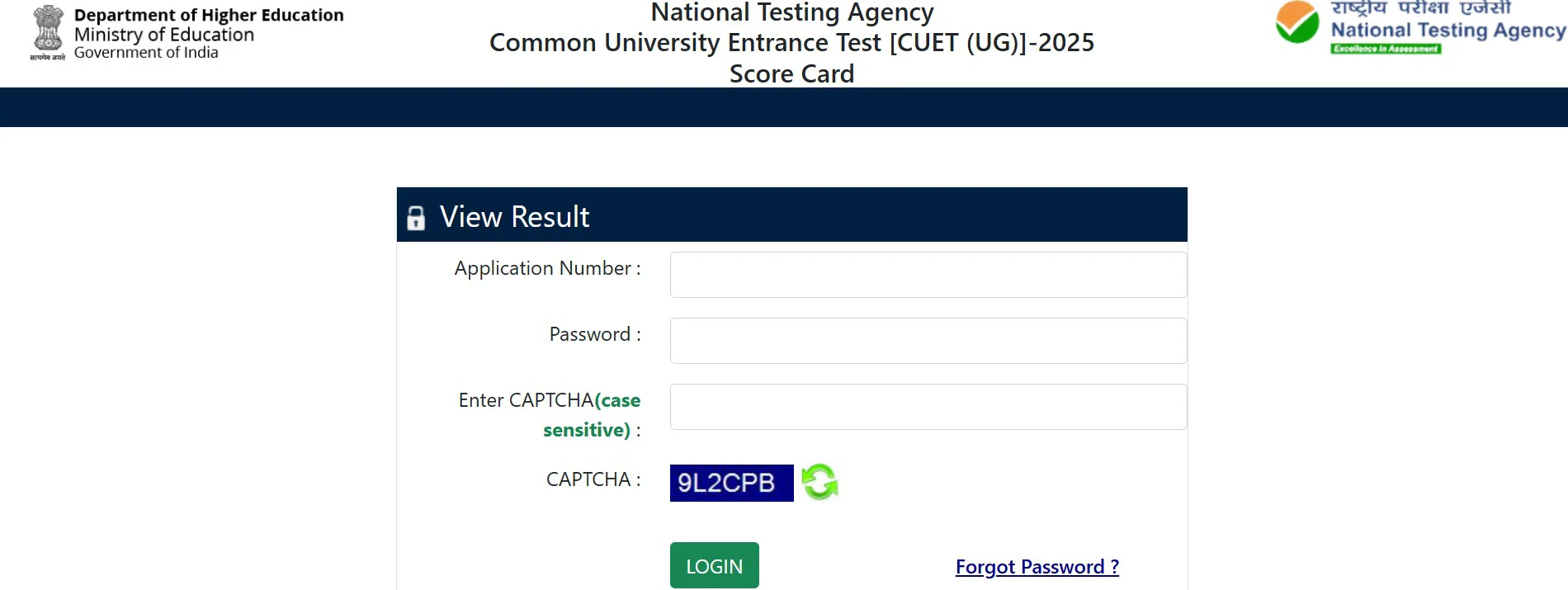
- Visit the official website at cuet.nta.nic.in.
- Click the 'CUET UG Scorecard 2025' link under the newest announcements area.
- Enter your application number and password on the login page.
- View and download the PDF scorecard.
- Verify your score, percentile, and qualification status.
- Print a physical copy for counseling purposes.
If you encounter issues, refer to this guide on How to avoid Technical glitches while downloading the scorecard. You can also access the CUET Result Link 2025 – Check your Score Now directly.
Important Information on Your Scorecard
Once you download your scorecard, ensure the following details are accurate:
- Name of the candidate
- Gender and Roll number
- Father's name
- Qualifying rank
- Qualifying marks per category and subject code
- Qualifying status and program applied
CUET 2025 Examination Statistics
The exam this year featured 37 subjects and was conducted across 239 universities. Below is the comparative data between 2024 and 2025:
| Parameters | CUET (UG) — 2024 | CUET (UG) — 2025 |
|---|---|---|
| No. of unique candidates registered | 13,47,820 | 13,54,699 |
| No. of unique candidates appeared | 11,13,610 | 10,71,735 |
Troubleshooting Login Credentials
If you have forgotten your login details, follow these steps to recover them:
- Visit the NTA CUET official website and navigate to the Login box.
- Select the 'Forgot Password' or 'Forgot Username' option.
- Fill out the necessary information.
- Access the recovery link or verification code sent to your registered email or contact information.
Reference Materials
For further reading, please check these official documents and articles: