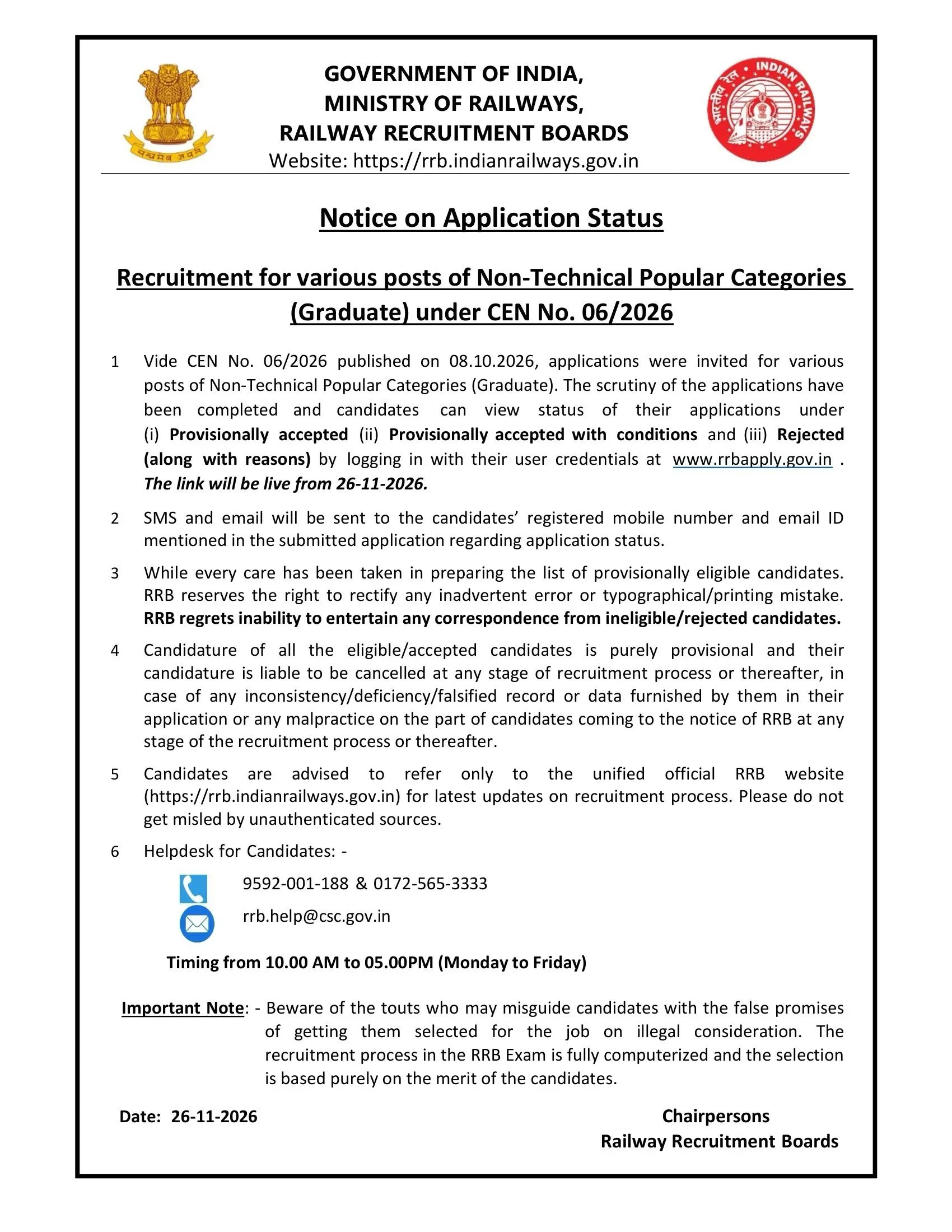
The Railway Recruitment Boards (RRB) have officially released the application status for the Non-Technical Popular Categories (NTPC) Graduate-level posts under CEN 06/2026. As of 26 November 2026, candidates who applied for this recruitment cycle can verify whether their applications have been accepted or rejected via the official RRB NTPC Application Status 2026 Link (ACTIVE).
Quick Highlights: RRB NTPC CEN 06/2026
| Particulars | Details |
|---|---|
| Conducting Body | Railway Recruitment Boards (RRB), Ministry of Railways |
| Notice | Notice on Application Status |
| Recruitment | Non-Technical Popular Categories (Graduate) |
| CEN Number | CEN No. 06/2026 |
| Notice Date | 26 November 2026 |
| Status Check Website | www.rrbapply.gov.in |
How to Check Your RRB NTPC Application Status 2026
Follow these steps to access your status on the official portal:
- Visit the official website at www.rrbapply.gov.in.
- Find and click on the application status link for CEN 06/2026.
- Enter your registration details and other required login credentials.
- Click on the submit button to access your account.
- Your RRB NTPC application status will be displayed on the screen.
- Check the status carefully, including any remarks or reasons mentioned.
- Save the status page or take a printout for future reference.
Understanding Your Application Status
Your application will fall into one of the following three categories:
- Provisionally Accepted: You are eligible for further processing.
- Provisionally Accepted with Conditions: Ensure you note any specific requirements provided by the RRB.
- Rejected: Your application was not accepted; review the provided reason on the portal.
| Application Status | Meaning |
|---|---|
| Provisionally Accepted | The application has been accepted after scrutiny, subject to further verification. |
| Provisionally Accepted with Conditions | The application has been accepted subject to specific conditions mentioned by the RRB. |
| Rejected | The application has not been accepted. The reason for rejection will be displayed on the portal. |
Post-Check Actions
- If provisionally accepted: Continue preparation for the next stage and monitor for exam city/date notices.
- If accepted with conditions: Note the conditions and arrange necessary documents/certificates.
- If rejected: Review the rejection reason on the portal.
Helpdesk and Support
If you encounter issues, please contact the support team during working hours (10:00 AM to 05:00 PM, Monday to Friday).
| Mode | Details |
|---|---|
| Phone | 9592-001-188 and 0172-565-3333 |
| [email protected] |