Seeking a faculty role? Discover how to apply for Assistant Professor positions via the UGC CU Chayan portal. Find essential information on the registration process, application steps, and portal details below.
What is UGC CU Chayan Portal?
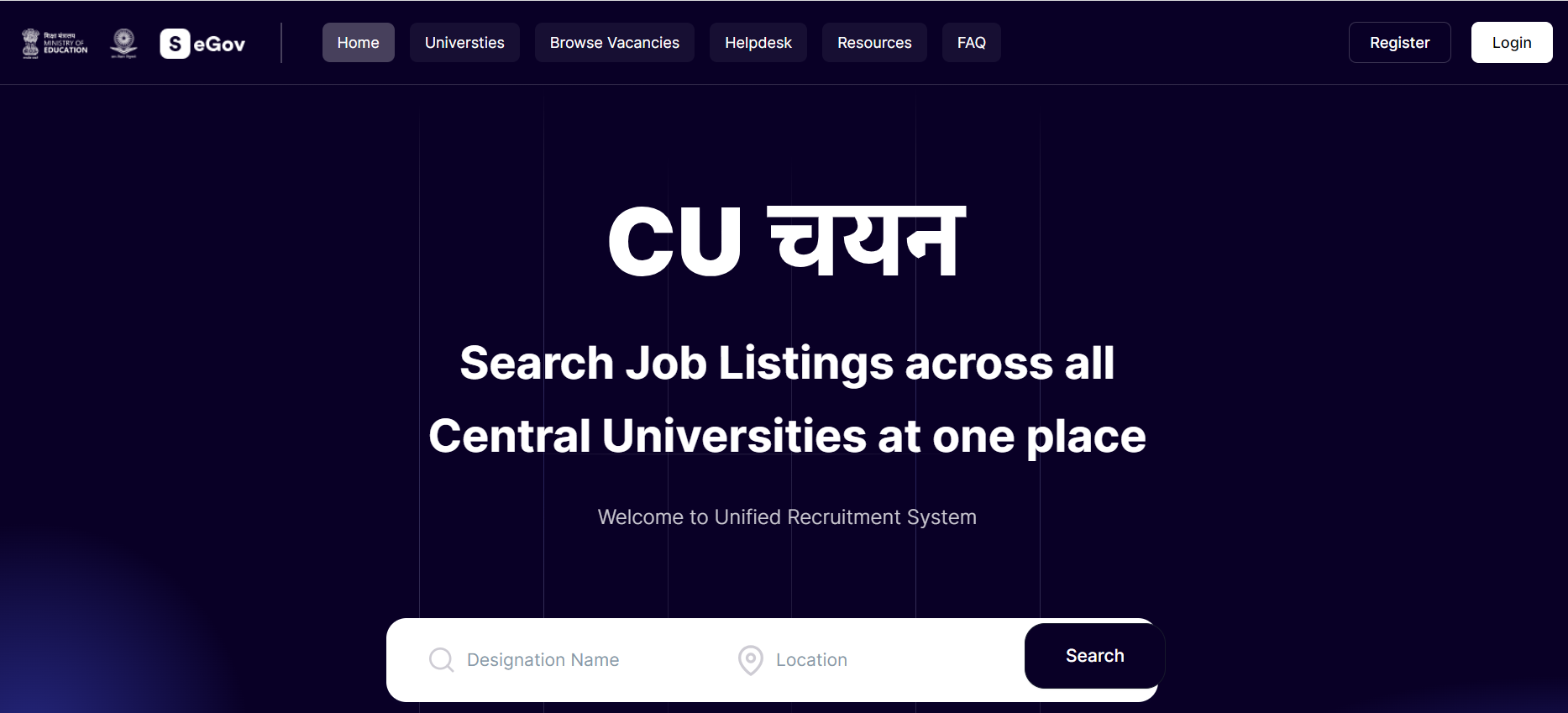
The UGC Chairman has launched CU-Chayan, a centralized recruitment portal specifically designed to streamline faculty hiring across Central Universities in India. This official platform represents a major digital transformation in the recruitment framework mandated by the University Grants Commission.
CU-Chayan provides a user-friendly interface that standardizes hiring procedures for professors, associate professors, and assistant professors at UGC-affiliated institutions. By utilizing this portal, both universities and aspiring academics benefit from a transparent, efficient, and cohesive recruitment ecosystem that promotes academic excellence.
UGC CU Chayan Portal: An Overview
This portal revolutionizes university hiring by offering a unified dashboard to list faculty vacancies and advertisements from all participating Central Universities. It simplifies the end-to-end recruitment lifecycle, from initial online application to screening, while providing real-time alerts to ensure a seamless experience for candidates and employers.
| About UGC CU Chayan Portal | |
|---|---|
| Made for | Central Universities of India |
| Launched by | UGC (University Grant Commission) |
| Chairman of UGC | M. Jagadesh Kumar |
| Website | www.curec.samarth.ac.in |
Universities under UGC CU Chayan Portal
Launched in May 2023, the CU-Chayan portal streamlines faculty recruitment across 56 Central Universities. By centralizing vacancy postings and application management, it eliminates the need to navigate multiple individual university websites. This transparent platform simplifies the application process and facilitates direct communication between institutions and qualified candidates. See the list below for participating Central Universities providing recruitment notifications through the UGC CU Chayan portal.
| University | State |
|---|---|
| Aligarh Muslim University | Uttar Pradesh |
| Assam University | Assam |
| Banaras Hindu University | Uttar Pradesh |
| Central Sanskrit University | Delhi |
| Central University of Gujarat | Gujarat |
| Central University of Haryana | Haryana |
| Central University of Himachal Pradesh | Himachal Pradesh |
| Central University of Jharkhand | Jharkhand |
| Central University of Karnataka | Karnataka |
| Central University of Kerala | Kerala |
| Central University of Odisha | Odisha |
| Central University of Punjab | Punjab |
| Central University of Rajasthan | Rajasthan |
| Central University of South Bihar | Bihar |
| Dr. Harisingh Gour Vishwavidyalaya | Madhya Pradesh |
| Jamia Millia Islamia | Delhi |
| Jawaharlal Nehru University | Delhi |
| Mahatma Gandhi Antarrashtriya Hindi VishwaVidyalaya | Maharashtra |
| Mahatma Gandhi Central University | Bihar |
| Maulana Azad National Urdu University | Hyderabad |
| Mizoram University | Mizoram |
| Nagaland University | Nagaland |
| National Sanskrit University | Andhra Pradesh |
| North Eastern Hill University | Meghalaya |
| Pondicherry University | Pondicherry |
| Rajiv Gandhi University | Arunachal Pradesh |
| Sikkim University | Sikkim |
| Tezpur University | Assam |
| The English and Foreign Languages University | Telangana |
| The Indira Gandhi National Tribal University | Madhya Pradesh |
| Tripura University | Tripura |
| University of Hyderabad | Telangana |
| Visva Bharati University | West Bengal |
Features of the UGC CU Chayan Portal
Explore the key features of the UGC CU Chayan portal designed to expand your opportunities in the higher education sector:
- Stay well-informed by tracking the progress of your application in real-time, ensuring you’re always up-to-date.
- A personalized dashboard awaits each applicant, providing a convenient hub to oversee applications, monitor advancements, and receive valuable input.
- Empowering universities and departments is their individualized admin dashboard, endowing them with comprehensive authority over the entire recruitment procedure.
- Effortlessly maintain communication with prospective employers and stay updated on your application’s status, all facilitated by the integrated email tool.
- Elevate your application’s strength through online feedback and references, enhancing its overall appeal.
- Attain immediate insights into the application process, allowing you to refine your approach and enhance your likelihood of achieving success.
How to Register Yourself in UGC CU Chayan Portal ?
Below are the essential links and instructions to help you access the portal and complete your registration successfully.
| CU Chayan | UGC Job Portal |
|---|---|
| CU Chayan Registration | UGC Recruitment Portal Registration |
| CU Chayan Login | UGC Recruitment Portal Login |
| CU Chayan Job Search | UGC Recruitment Portal Job Search |
Step-by-Step Guide to Registering on the UGC CU Chayan Portal
Step 1: Access the Official Website:
- To initiate the registration process, launch your web browser and navigate to the official UGC Cu Chayan Portal. You can easily locate the portal by conducting a search for “UGC Cu Chayan Portal” using your preferred search engine.
Step 2: Complete Registration:
- On the main page of the portal, you will encounter an option labelled as “New User Registration” or a similar description. Please click on this option.
- Subsequently, you will be directed to a registration form. Here, provide the necessary information such as your name, email address, mobile number, and other essential details.
- Generate a robust password that combines letters, numbers, and special characters. This password will serve as your access key to log into your account.
Step 3: Email Verification:
- Upon completing the registration form, an email will be dispatched to the email address you provided.
- Access your email inbox and locate the verification email sent by the UGC Cu Chayan Portal.
- Click on the verification link contained within the email. This step is of utmost importance as it verifies your email address and activates your account.
Step 4: Create Your Password:
- Next, it’s essential to establish a potent and secure password for your account. Be sure to adhere to the password guidelines stipulated on the portal.
- Formulate a password that encompasses a combination of letters, numbers, and special characters to enhance the security aspect.
Step 5: Sign In:
- Return to the UGC Cu Chayan Portal’s website.
- Employ your registered email address and the password you’ve set up to log in to your freshly created account.
Step 6: Update Your Profile:
- Upon successful login, you will be prompted to finalize your profile. Supply accurate and current information, encompassing personal particulars, educational achievements, professional experience, research publications, and any other pertinent data.
- Always double-check the furnished information before submitting your profile. Furnishing precise and comprehensive details will bolster your profile and augment your prospects throughout the application procedure.
How to Apply for Assistant Professor Post from UGC CU Chayan Portal?
Candidates are advised to follow these steps to apply for an Assistant Professor position via the UGC CU Chayan Portal.
Step 1: Search Active Vacancies:
- With your profile set up, you can now browse through the available vacancies posted on the UGC Cu Chayan Portal.
- The portal often categorises vacancies based on different criteria, making it easier for you to find positions that match your qualifications and preferences.
Step 2: Select Target Post:
- When you find a vacancy that interests you, click on it to view the detailed job description and eligibility criteria.
- If you meet the requirements, you can proceed to apply for the position.
Step 3: Submit Your Application:
- The application process typically involves uploading your resume, cover letter, and other relevant documents.
- Prepare all the necessary documents requested in the job advertisement.
- Upload the required documents as per the specifications provided on the portal.
- Write a compelling cover letter or statement of purpose, if required.
Step 4: Review Before Submission:
- Before finalizing your application, review all the provided information and attached documents.
- Make sure there are no errors or discrepancies.
- Once you are satisfied, click the “Submit” button to send in your application.
Step 5: Pay Application Fees:
- Some job applications may require an application fee.
- If an application fee is applicable, you will be prompted to pay it through the portal’s integrated payment gateway.
- Follow the instructions to complete the payment process.
Step 6: Track Application Status:
- After submitting your application, you can track its status through your account on the UGC Cu Chayan Portal.
- The portal will provide updates regarding shortlisting, interview schedules, and other relevant information.
Step 7: Shortlisting and Interview Rounds:
- If your application is shortlisted, you will receive further instructions regarding the interview process.
- Prepare for the interview by reviewing your qualifications, research work, and other aspects relevant to the position.
- Attend the interview as scheduled and showcase your expertise.
Step 8: Final Selection Notifications:
- After the interview process, the UGC Cu Chayan Portal will notify you about the final selection.
- If you are selected for the position, follow the provided instructions for further procedures.
How to Reset UGC CU Chayan Password?
If you have forgotten your CU Chayan password, you can easily initiate a reset from the login page. Follow the on-screen instructions to recover your account securely.
- Locate and click on the “Request Password Reset” hyperlink.
- This action will lead users to the dedicated “Request Password Reset” page.
- On this page, users are required to input the email address linked to their account.
- Enter the aforementioned registered email address and complete the captcha to verify your identity. Subsequently, click on “Resend Email” to initiate the password reset procedure.
- An email containing instructions for resetting the password will be sent to the user’s registered email address.
- Follow the provided instructions within the email to successfully reset the password. Once the password has been reset and a successful login is achieved, users can proceed to explore job vacancies, submit job applications, and monitor the status of their applications.
Conclusion
The UGC CU Chayan Portal is an essential tool for higher education institutions and job-seeking faculty. It acts as a comprehensive platform for universities to publish openings, gather applications, and finalize faculty selections. While advertisements may still appear in newspapers, the portal serves as the primary hub for all formal procedures. Visit www.curec.samarth.ac.in for full details and to begin your application.

UGC CU Chayan Portal: FAQs
The UGC CU Chayan Portal is a dedicated web-based platform facilitating the recruitment of professors, associate professors, and assistant professors across UGC-recognized higher education institutions.
The core mission of the CU Chayan portal is to instill greater transparency, efficiency, and accountability in faculty hiring by digitizing the entire recruitment workflow.
You can access the official UGC CU Chayan portal at www.curec.samarth.ac.in for comprehensive job information and guidelines.
The University Grants Commission (UGC) introduced CU-Chayan to provide a unified faculty recruitment portal, specifically serving the needs of India’s Central Universities.